

Download BB Flashback – Free Screen Recorder with Editing & Publishing Tools for Windows, Mac, Android, iOS
Why BB Flashback Stands Out as the Best Screen Recording Software in 2024
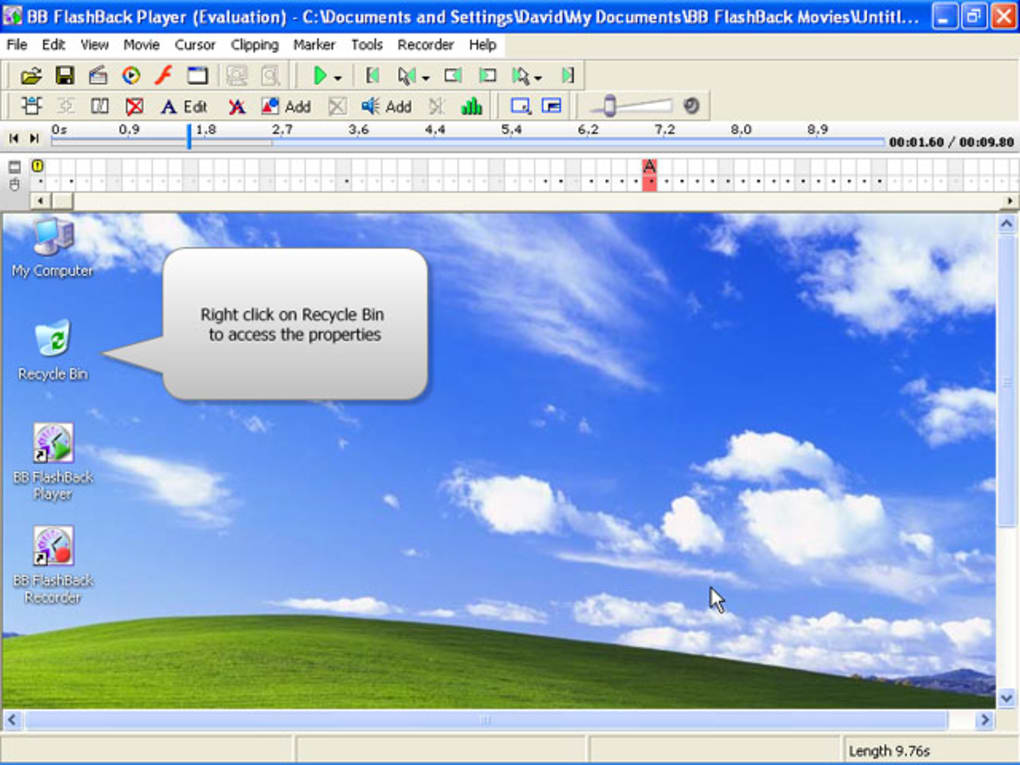
In the fast-evolving world of digital content creation, having a reliable and feature-rich screen recording tool is essential. BB Flashback emerges as a top-tier solution, combining powerful recording capabilities with intuitive editing and versatile publishing options. Whether you're a teacher creating online lessons, a software developer demonstrating new features, or a marketer producing product demos, BB Flashback delivers everything you need in one seamless package. Unlike basic screen recorders, BB Flashback goes beyond simple video capture by allowing users to annotate recordings with text, images, and audio commentary—either during or after recording. This makes it ideal for creating engaging, professional-grade tutorials and presentations.
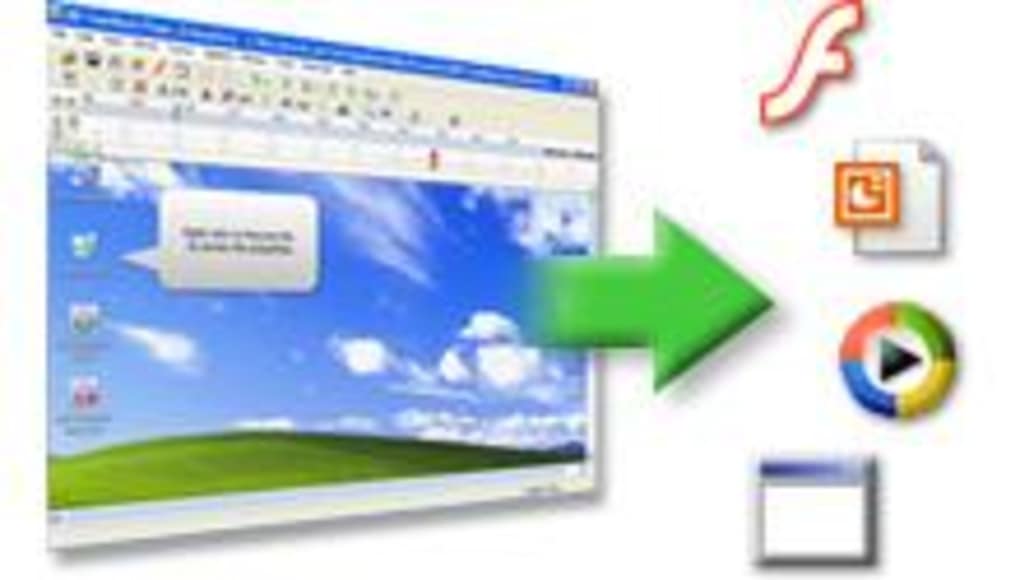
One of the standout features is its customizable recording zones. You can set up BB Flashback to capture only specific screen areas—like the left or right side—perfect for focused demonstrations. This level of control ensures that your recordings remain clean and relevant, without unnecessary distractions. The software also supports multiple output formats, including Flash, AVI, WMV, EXE, and PowerPoint, giving you maximum flexibility when sharing your content across platforms. Whether you’re embedding a video in a website or sending a standalone executable to a client, BB Flashback has you covered.
Another major advantage is the keyboard shortcut system. With customizable hotkeys, you can start, pause, and stop recordings without ever touching the mouse. This boosts productivity and makes the tool accessible even during live presentations. The interface is clean and user-friendly, ensuring that beginners can get started quickly, while advanced users appreciate the depth of customization available. With regular updates and strong security protocols, BB Flashback remains a trusted choice for individuals and organizations alike.
Powerful Features That Elevate Your Screen Recording Experience
BB Flashback isn’t just another screen recorder—it’s a complete multimedia production suite. Its feature-rich toolkit includes everything you need to go from raw screen capture to polished final product. The software supports full HD recording with adjustable frame rates and resolution settings, ensuring crisp, smooth video quality. You can record your screen in real-time while simultaneously capturing microphone audio, system sounds, or even webcam footage, making it perfect for video tutorials and remote training sessions.
One of the most powerful aspects of BB Flashback is its in-built editing suite. After recording, you can easily trim clips, add transitions, insert text boxes, highlight areas with callouts, and even include animated tips or image overlays. These annotations help emphasize key points and improve viewer comprehension. You can also record a voiceover during the session or import an audio file in MP3 or WAV format for post-production narration. This flexibility is especially valuable for educators and trainers who want to explain complex concepts clearly.
For those who prefer a streamlined workflow, BB Flashback offers one-click publishing to popular platforms. You can export directly to YouTube, Vimeo, or embed videos into PowerPoint presentations. The ability to export as an EXE file is a game-changer—it allows you to share interactive videos that play without requiring any additional software on the recipient’s device. This is ideal for training materials distributed internally or to clients who may not have video players installed.
- High-quality screen recording in HD with customizable frame rates and resolution
- Multi-source audio capture – microphone, system audio, and webcam
- Advanced editing tools – text, images, callouts, transitions, and animations
- Multiple export formats – Flash, AVI, WMV, EXE, PowerPoint, and more
- Customizable hotkeys for fast, mouse-free recording control
- Snapshot capture for selective screen area recording
- One-click publishing to YouTube, Vimeo, and other platforms
Easy Installation, Cross-Platform Use, and Seamless Workflow
Getting started with BB Flashback is a breeze. The installation process is straightforward and takes less than five minutes. Simply download the installer from the official website, run it, and follow the on-screen prompts. The software is compatible with Windows 10, Windows 11, macOS Monterey and later, Android 8+, and iOS 12+, making it a versatile choice for users across devices. Whether you're working on a desktop, laptop, tablet, or smartphone, you can record and edit screen content with ease.
Once installed, BB Flashback integrates smoothly into your daily workflow. The dashboard is intuitive, with clearly labeled tools and a minimal learning curve. You can choose between quick recording mode for instant capture or advanced mode for detailed settings. For example, you can set up scheduled recordings, define recording areas, and configure audio sources before starting. The software also supports automatic updates, ensuring you always have the latest features and security patches.
For teams and professionals, BB Flashback offers cloud integration and file synchronization. You can save recordings directly to cloud storage services like Google Drive, Dropbox, or OneDrive, enabling seamless collaboration. The app also supports batch processing, allowing you to edit and export multiple videos at once—perfect for content creators managing large volumes of material.
Pros and Cons: Is BB Flashback Right for You?
- Pros:
- Comprehensive screen recording with real-time annotations
- Supports multiple export formats including EXE and PowerPoint
- Keyboard shortcuts for efficient, mouse-free operation
- Excellent editing tools with text, images, and audio support
- Compatible with Windows, Mac, Android, and iOS
- Regular updates and strong security features
- Cons:
- Advanced features may be overwhelming for absolute beginners
- Full version requires a paid license (though a free trial is available)
- Some users report occasional lag during high-resolution recording
Frequently Asked Questions (FAQ)
Can I use BB Flashback on both Windows and Mac?
Yes, BB Flashback is fully compatible with both Windows 10/11 and macOS Monterey and later. You can download the appropriate version for your operating system from the official website and enjoy consistent performance across platforms.
Is BB Flashback free to download and use?
Yes, BB Flashback offers a free trial version with full access to all features. While the full version requires a paid license, the trial allows you to test the software extensively before purchasing.
Can I record my voice while capturing the screen?
Absolutely. BB Flashback supports simultaneous recording of your screen, microphone audio, and system sounds. You can also add a voiceover after recording using MP3 or WAV files.
What formats can I export my videos to?
BB Flashback supports exporting to Flash, AVI, WMV, EXE, PowerPoint, YouTube, and Vimeo. The EXE format is especially useful for creating standalone, executable videos that run without external players.
Does BB Flashback work on Android and iOS devices?
Yes, BB Flashback has mobile apps available for Android 8+ and iOS 12+, allowing you to record and edit screen content directly from your smartphone or tablet.
Final Verdict: A Must-Have Tool for Content Creators and Educators
If you're looking for a secure, reliable, and feature-packed screen recording solution, BB Flashback is one of the best choices available. Its combination of high-quality recording, powerful editing tools, and flexible publishing options makes it ideal for educators, trainers, marketers, and software developers. Whether you're creating a simple tutorial or a complex training module, BB Flashback gives you the tools to deliver professional results.
With a user-friendly interface, customizable hotkeys, and cross-platform compatibility, it’s easy to use yet powerful enough for advanced users. The ability to record, annotate, and publish in one workflow saves time and enhances productivity. While the full version is not free, the free trial offers a comprehensive look at what the software can do.
Download BB Flashback today and take your screen recording to the next level. Whether you're teaching online, demonstrating software, or sharing ideas, this tool empowers you to communicate clearly and effectively. Don’t miss out on the ultimate screen capture experience—start your free trial now and see why BB Flashback is trusted by thousands worldwide.







